

















How to set up a proxy server on the Shark browser
Sharkbrowser benefits include:
Built-in Ad Blocker: Blocks ads on web pages to improve browsing speed.
Built-in downloader: It can easily download pictures, videos and other files on the web page.
High security: use multi-layer encryption technology to ensure the security of users' personal data.
step 1:
Download and install Sharkbrowser
Official website: http://www.sharkbrowser.com/?p=PIA
Step 2:
Add proxy settings
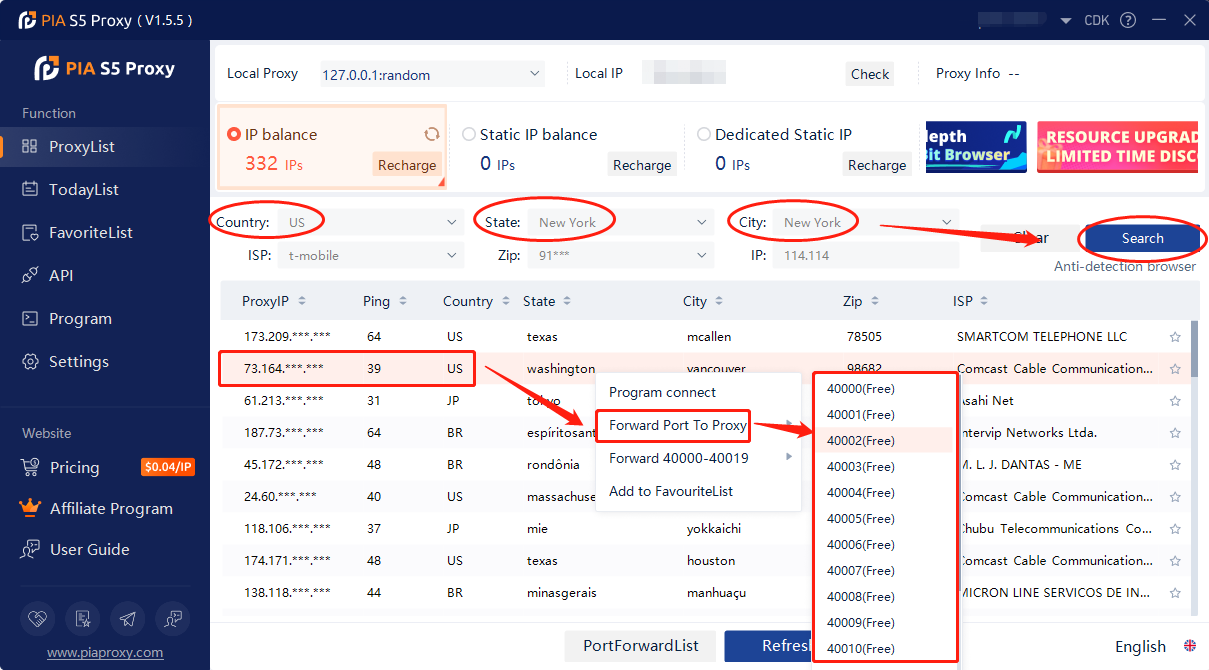
1. After selecting the country, continent, and city, click the "Refresh" button, then right-click to select the proxy IP and port
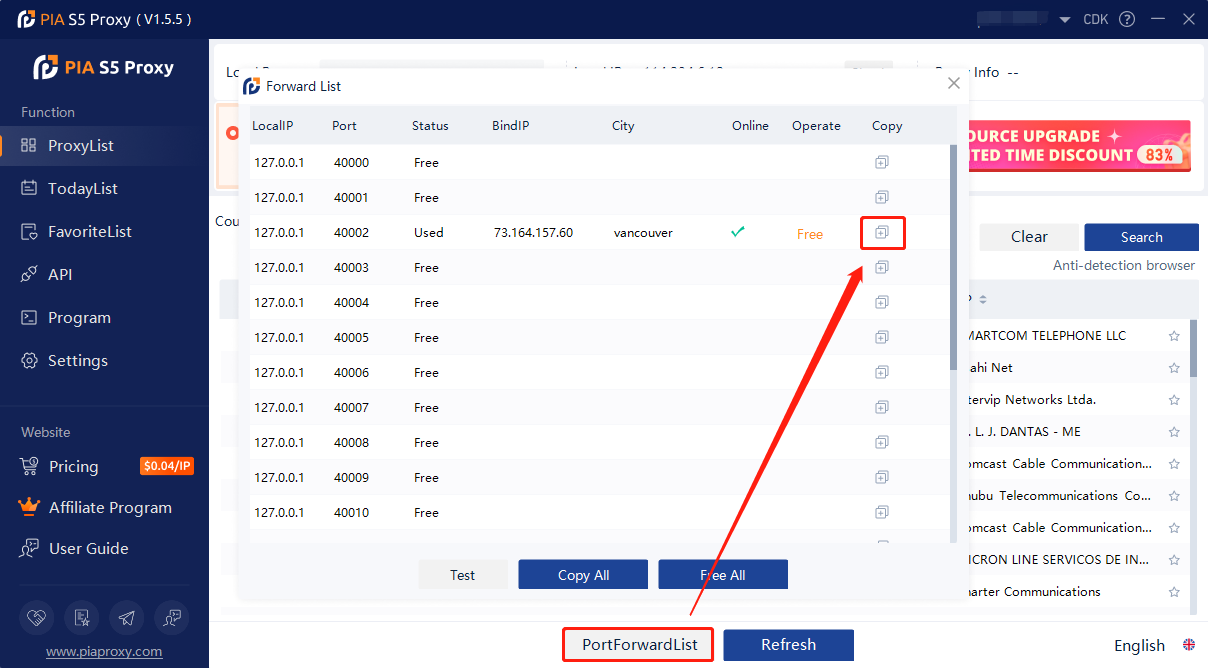
2. Then click the port forwarding list below to copy the port number you just selected
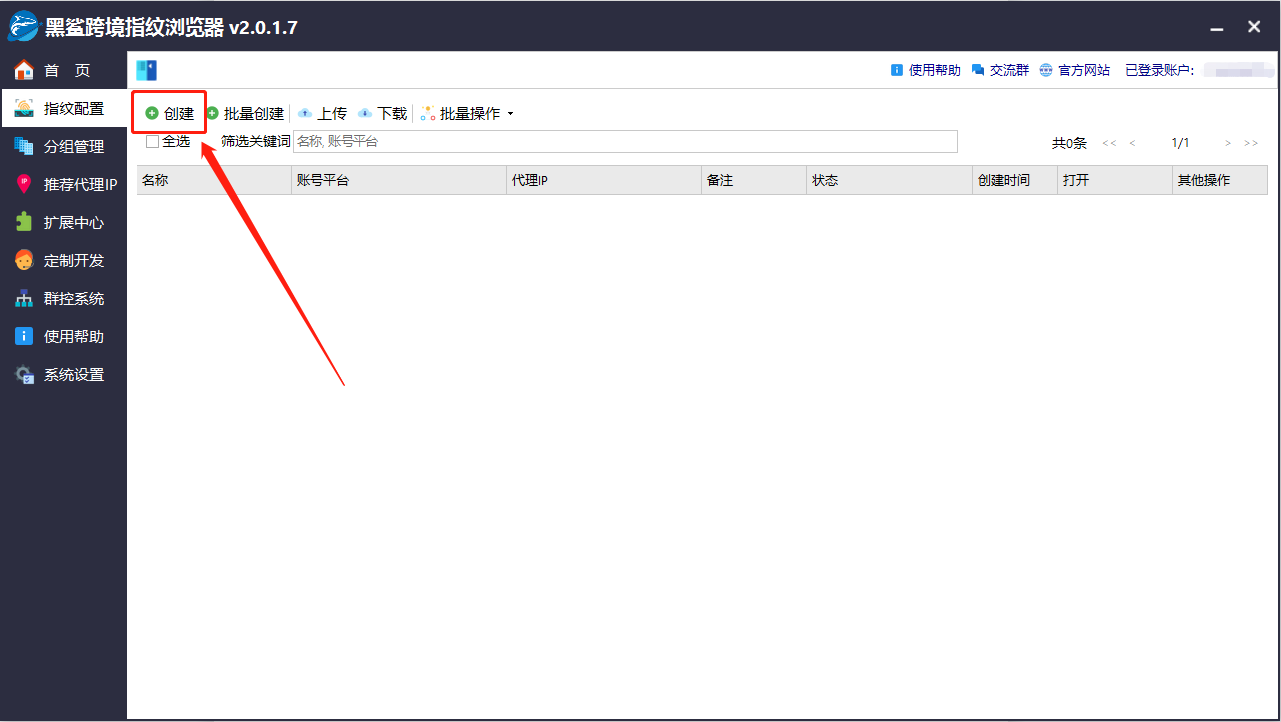
3. Click Fingerprint Configuration, click Create;
4. Enter name and select account platform
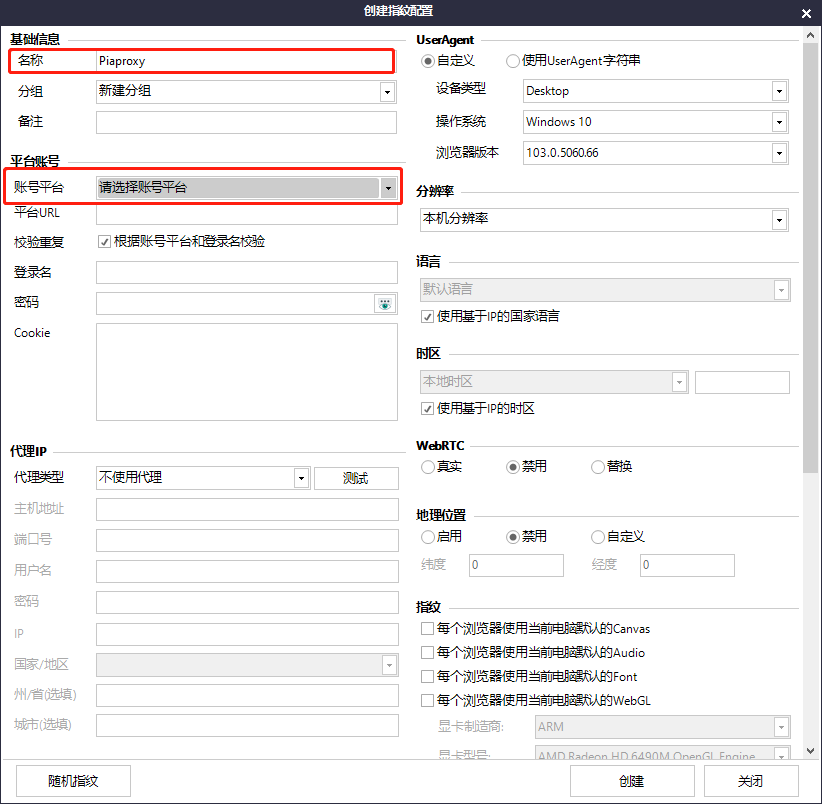
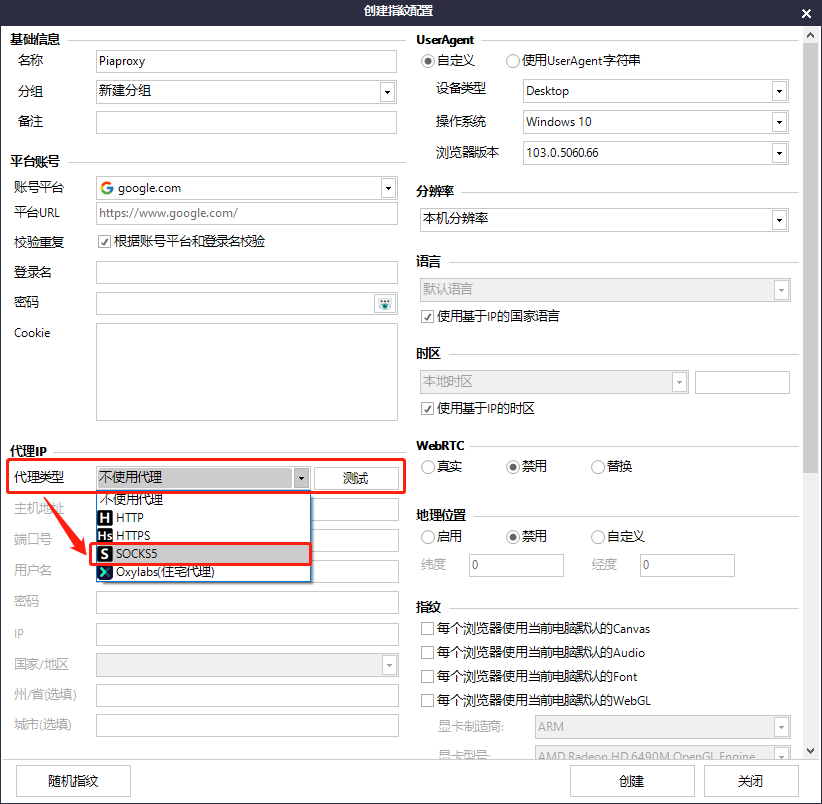
5. Select the proxy type as Socks5
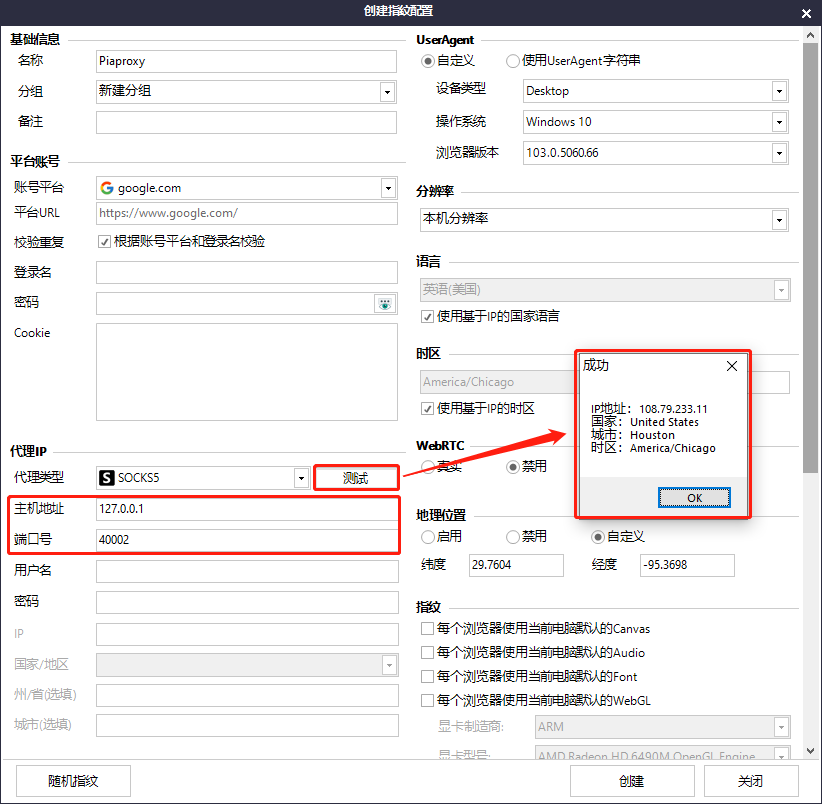
6. Enter the host address and port number, click Test, click OK after displaying success
7. Finally click Create
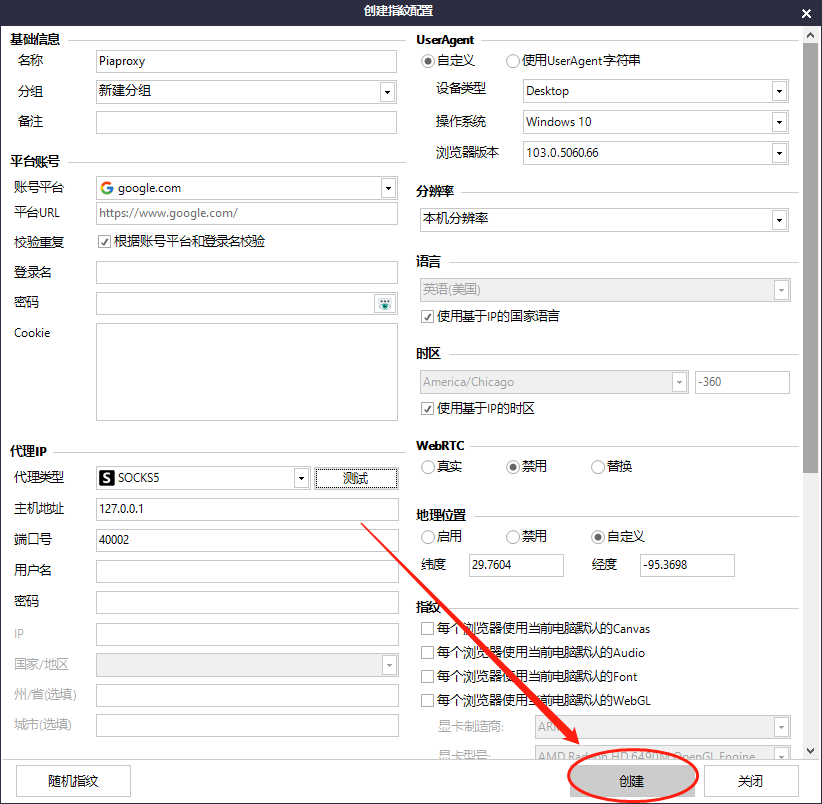
8. After the creation is successful, click Open, that is, the proxy is successful
Click to view detailed video tutorial——
According to the above process, you can start using Sharkbrowser. If you have any questions about the integration, or want to learn more about other topics, you can consult the online customer service for help






